
TCL TV remote app
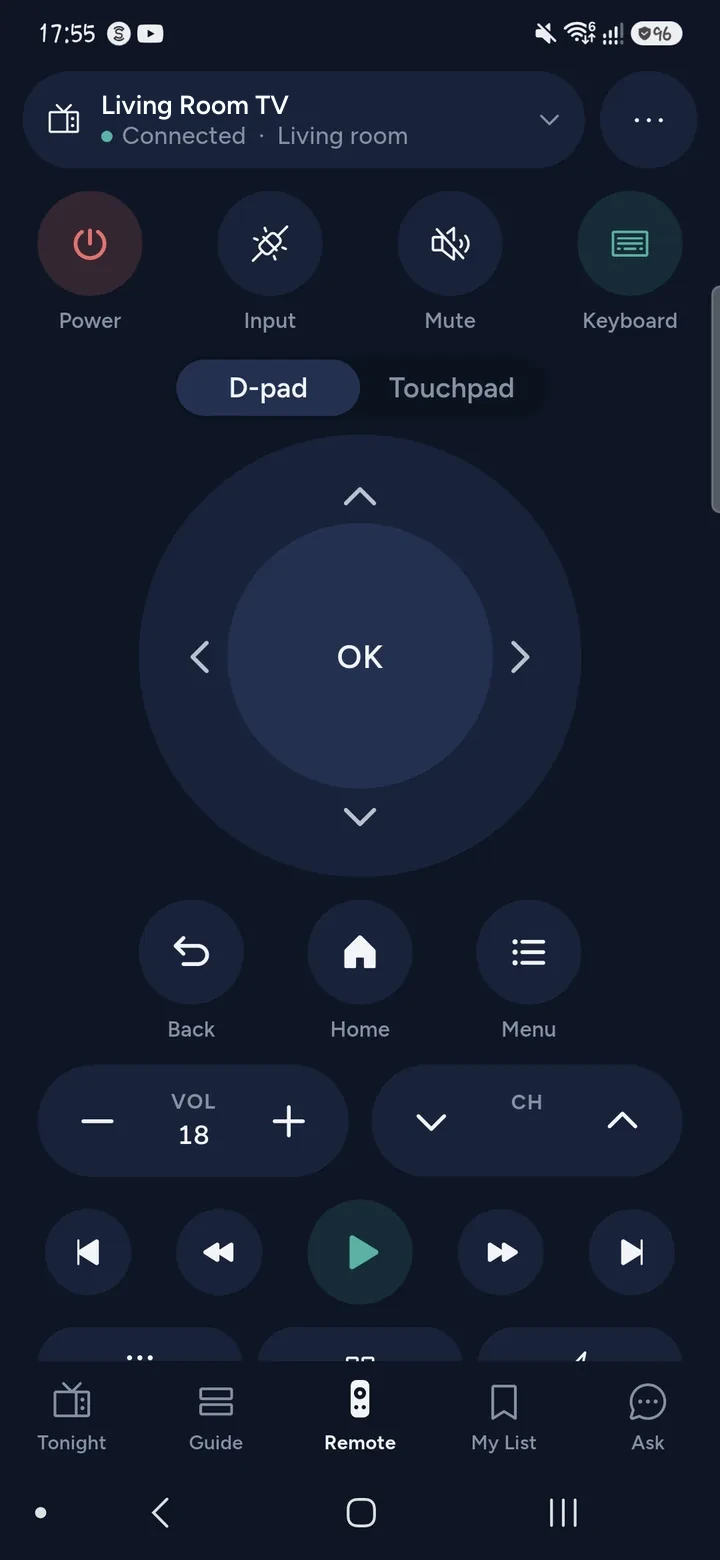
Tuned works as a TCL TV remote app on iPhone and Android. A TCL TV runs either Google TV (or Android TV) or Roku, and the set-up is different for each, so the first job is to find out which one you have. Then pairing takes a minute.
Which system does your TCL run?
TCL does not have a system of its own. Switch the TV on and look at the home screen.
- Google TV or Android TV: you see Google TV or the Android TV home screen, with Google apps and Google Assistant. Use the first set of steps.
- Roku: you see the Roku home screen, a grid of tiles. Use the second set of steps. TCL sells these as TCL Roku TV.
Connect a TCL with Google TV or Android TV
- Switch the TV on. Join your phone and the TV to the same Wi‑Fi network, not a guest network.
- Open Tuned and tap your TCL in the list. On iPhone, allow Tuned to find devices on your local network.
- A 6-character code appears on the TV. Type it into Tuned.
You can then use the keyboard, volume level, apps and Google Cast. More on the Google TV remote page.
Connect a TCL Roku TV
- On the TV, go to Settings, System, Advanced system settings, Control by mobile apps, and set it to Enabled.
- Open Tuned and tap your TV in the list. There is no code.
More on the Roku remote page.
Questions about TCL TVs
Why does my TCL disappear from Tuned after it has been off?
A TCL Google TV can drop off the Wi‑Fi during a long standby, and then nothing on a phone can reach it until it is woken. Switch the TV on once with its own button or remote. It usually rejoins the Wi‑Fi within seconds, and Tuned finds it again.
Does the power button on Tuned turn a TCL on?
On a TCL with Google TV, Tuned sends the power key, which toggles. If the TV is in network standby it wakes. If it has left your Wi‑Fi, use its own button once.
Do I need the TCL app?
No. Tuned pairs with the TV on your home network, with a code on the screen for Google TV or a setting on a Roku TV. It does not ask you to sign in to TCL.
How do I know whether I have Google TV, Android TV or Roku?
Look at the home screen when the TV starts. Roku TVs show a tile grid and the Roku name. Google TV and Android TV show rows of recommendations or a Google look. If you are still unsure, the model name in the TV's settings tells you, and you can also email us with the model.
Can I type on my TCL with my phone?
Yes, on both systems. Open the search box on the TV and tap the keyboard button in Tuned. See how typing on the TV works.
Common problems
- TCL Roku TV remote not working
- TCL Google TV remote not working
- Turn on a TCL Google TV
- Turn on a TCL Roku TV
Get Tuned
Free to download for iPhone and Android.
Related guides
See every TV that works with Tuned, or read on.