
What to watch tonight: ask Tuned
Tuned is a "what to watch tonight" app with an Ask feature. Type or say what you are in the mood for, such as "something funny and short" or "a thriller like Ozark", and Tuned suggests titles, tells you which of your streaming services has them, and starts one on your TV. It learns what you like as you go.
What you can ask
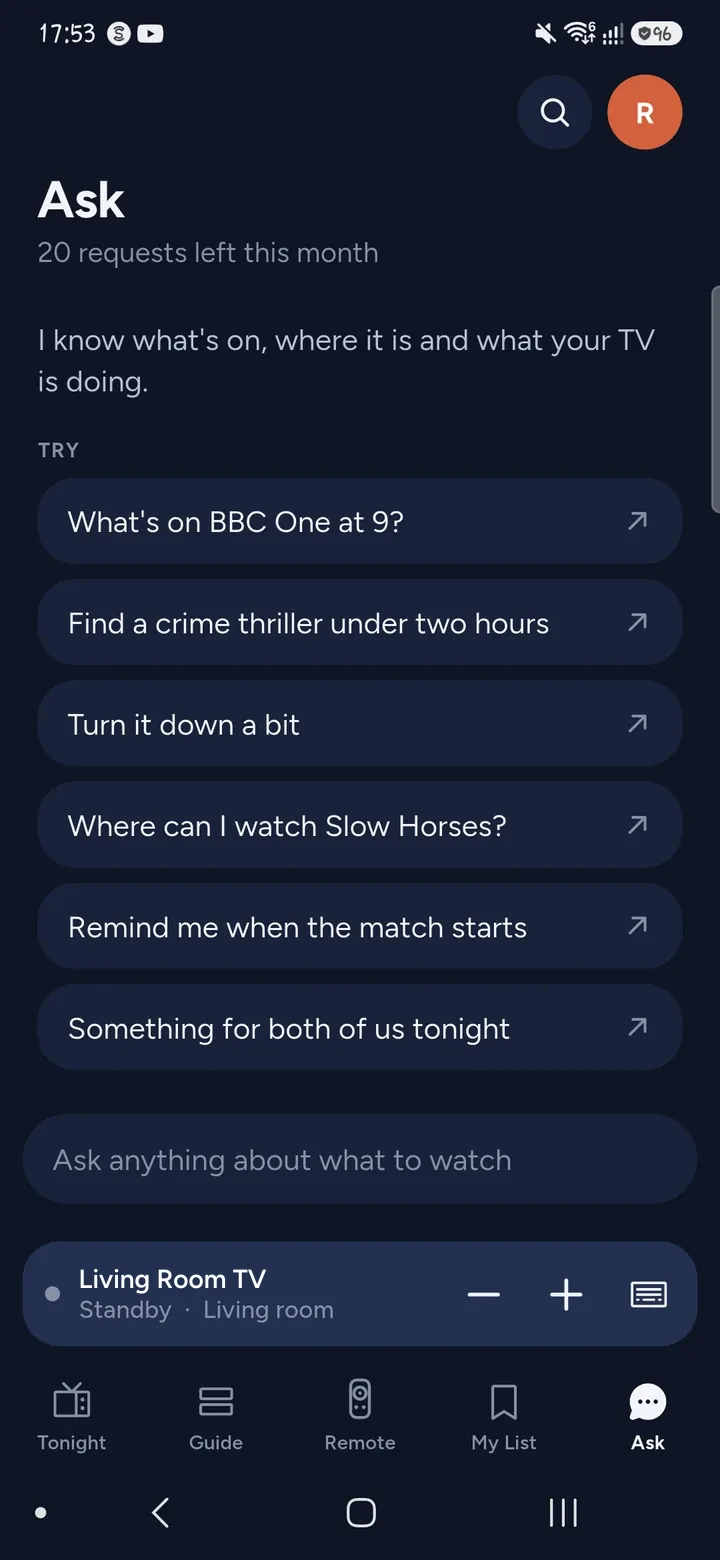
Ask is a tab in the app. It is a chat, so you can say things in your own words. These are the kind of questions it answers.
- "Find a crime thriller under two hours."
- "Where can I watch Slow Horses?"
- "Something for both of us tonight."
- "What's on BBC One at 9?"
- "Remind me when the match starts."
- "Turn it down a bit."
It can search by genre, length or service, say where a title is streaming in your country, and tell you what is on a channel. When you have a TV connected, it can also run the remote for you. If it cannot find a title, it says so.
How it works
- Connect your TV in Tuned, so Ask knows what the TV is doing and what is installed on it. Phone and TV need to be on the same Wi‑Fi network.
- Open the Ask tab.
- Type your question, or hold to talk. You can also tap one of the suggestions.
- Tuned replies with a few picks. Each shows why it was chosen, such as which service it is on or that it is popular this week.
- Tap a pick to open it on your TV.
Questions about asking what to watch
Do I need a TV connected to use Ask?
No. You can ask for ideas on your own. A connected TV lets Tuned open the pick for you, change the volume or start an app.
Does Ask know which streaming services I have?
Yes, once you tell Tuned which ones you use. Picks show where they are streaming, and Tuned says when a service is one you do not subscribe to.
Is there a limit on how many questions I can ask?
The free plan includes a number of Ask requests each month. Tuned Plus and Tuned Pro add more. The remote itself, including volume, channel and app commands, keeps working either way.
Can I just browse instead?
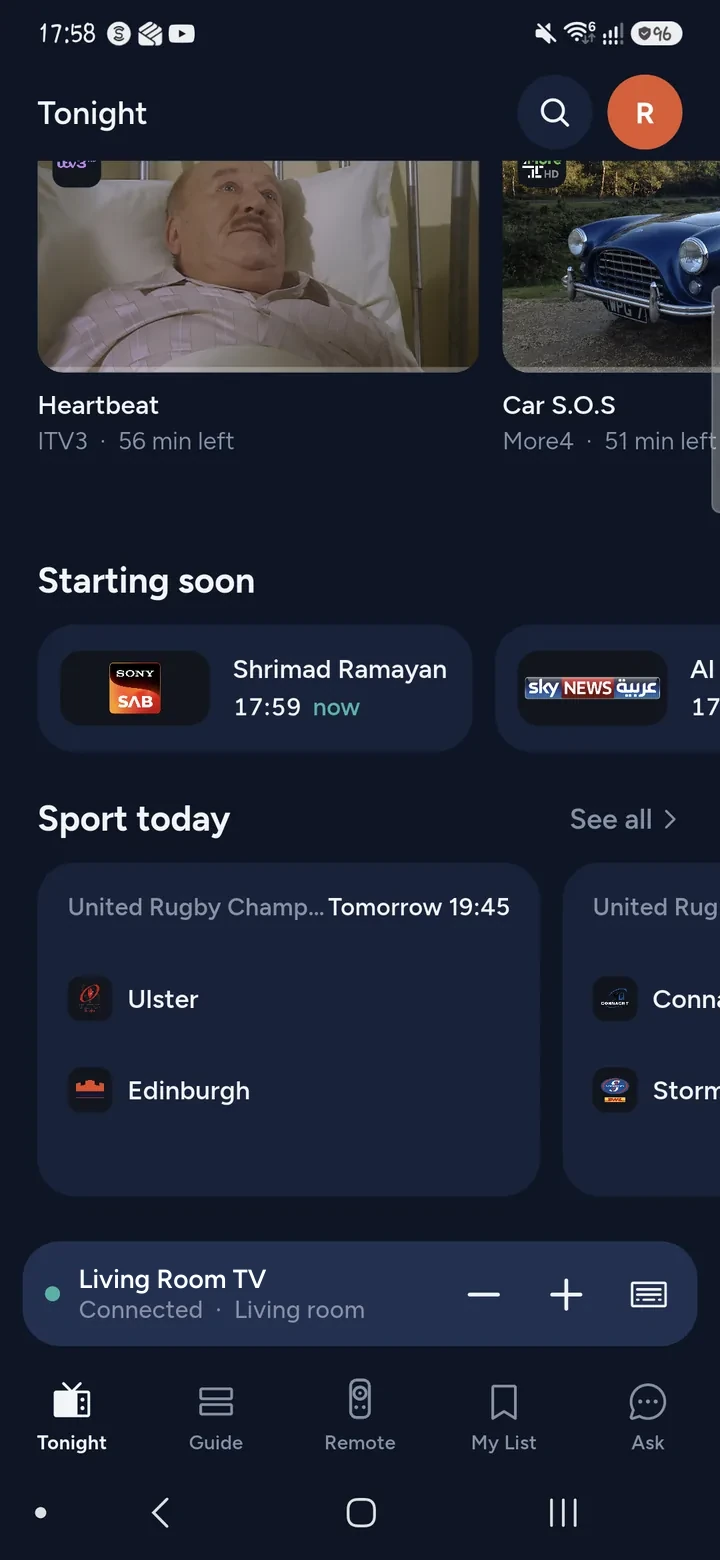
Yes. The Tonight tab shows what is on now, what starts soon and the sport today. For a full schedule, read about the TV guide and reminders.
What if I want to search for a title myself?
Use Search. One search covers Netflix, Prime Video, Disney+, Max, Apple TV and more, and opens the result on your TV.
Get Tuned
Free to download for iPhone and Android.
Related guides
See every TV that works with Tuned, or read on.