
Type on your TV from your phone
With Tuned you can use your phone's keyboard to type on a TV. Open a search box on the TV, tap the keyboard button in the Tuned remote and type. The text appears on the TV as you go. It works on Samsung, LG, Google TV, Android TV, Fire TV, Roku and Hisense VIDAA TVs.
How to type on the TV
- Connect your TV in Tuned. Phone and TV need to be on the same Wi‑Fi network.
- On the TV, open the search box in an app, such as YouTube, so the cursor is in the field.
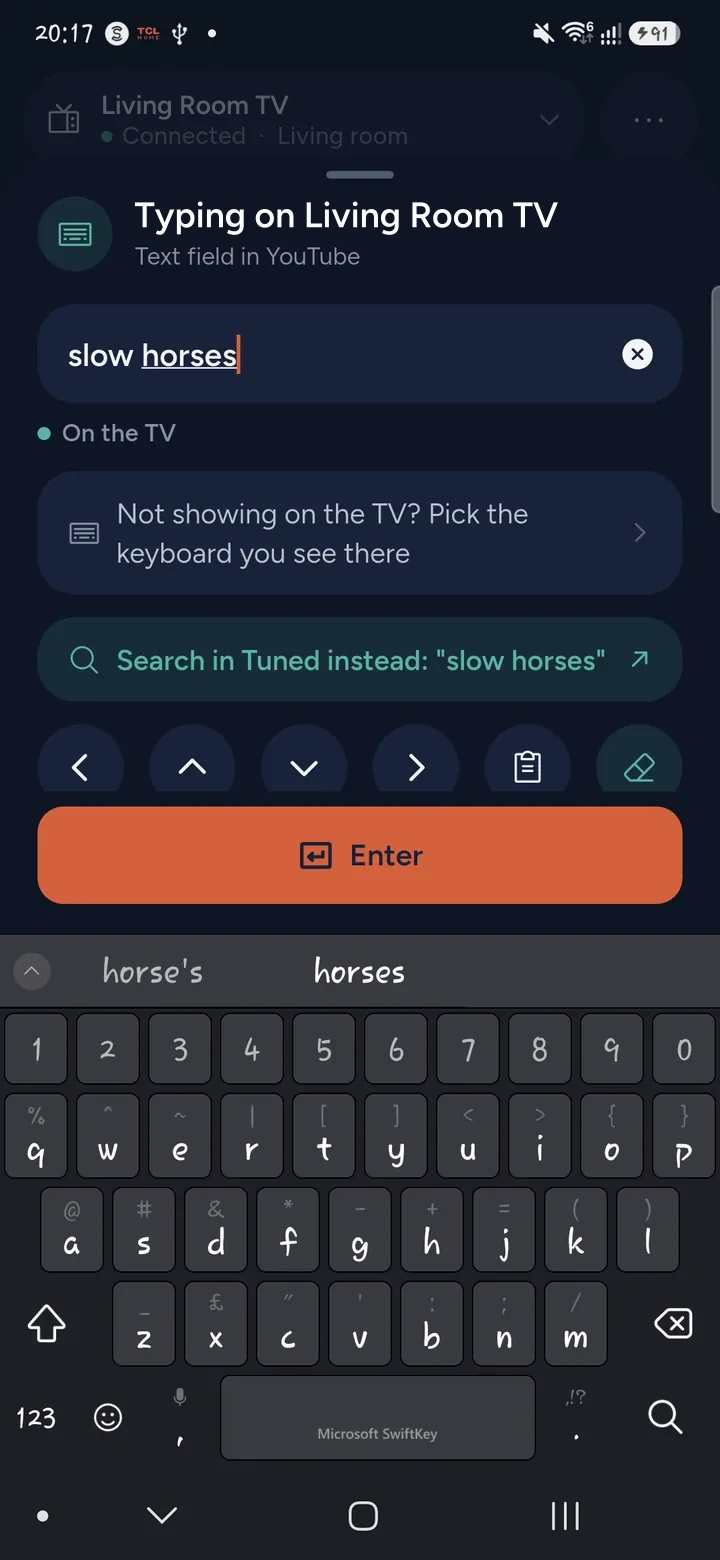
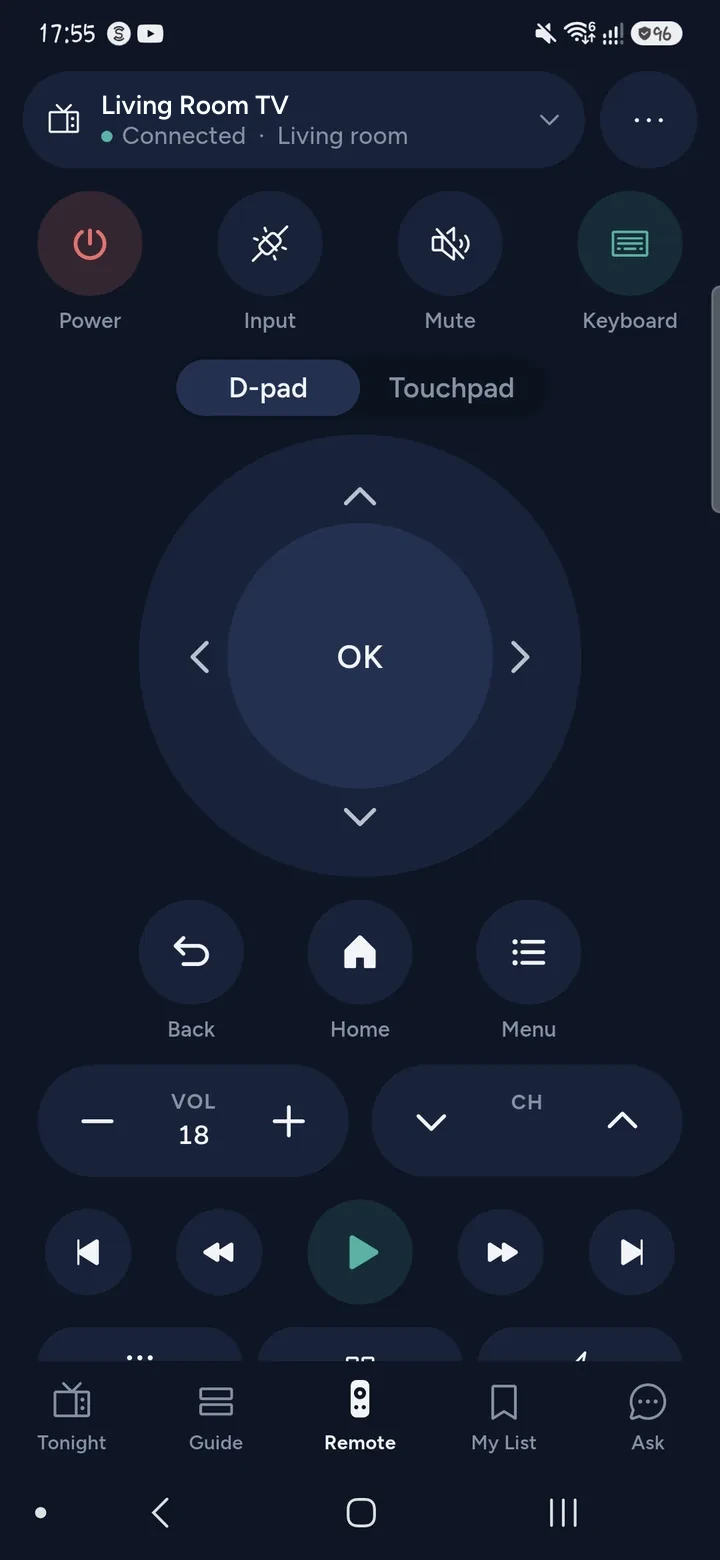
- In Tuned, tap the Keyboard button on the remote. A box opens that says "Typing on" and your TV's name.
- Type on your phone. What you type shows in the field on the TV.
- Tap Enter to send the search.
The box also has arrow keys and a button that clears the field on the TV. If you make a mistake, fix it on the phone. Tuned changes the text on the TV to match.
When an app has its own keyboard
Some apps do not take text from a phone. They only accept letters from the keyboard they draw on the TV. Tuned handles these two ways.
- It can pick that on-screen keyboard and move around it for you, letter by letter. You choose which keyboard matches the one on your TV.
- It offers to search from your phone instead. The result opens in the app on the TV, so you skip the keyboard.
If an app takes no typing at all, Tuned says so, rather than leaving you guessing.
Questions about typing on a TV
Which TVs support typing from a phone?
Samsung, LG, Google TV and Android TV, Amazon Fire TV, Roku TV and Hisense VIDAA TVs all take typing from Tuned. Whether a particular app accepts it is up to the app.
Why are no letters showing up on my TV?
The cursor has to be in a text field on the TV first. Open the search box, wait for the field to appear, then type. If an app draws its own keyboard, Tuned asks which one you can see.
Can I type a long phrase?
Yes. Type the whole phrase on your phone and Tuned puts it in the field on the TV. Check the field on the TV before you press Enter.
Do I need to install anything on the TV?
No. Typing works through the same connection as the remote, once your TV is paired. There is nothing to install on the TV.
Does it cost anything?
No. Typing is part of the remote, which is free for everyone. The free plan shows ads. See which TVs work with Tuned.
Typing on a specific TV
Get Tuned
Free to download for iPhone and Android.