
Type on a Fire TV from your phone
Typing a search or a password with a Fire TV remote is slow. You have a few ways to speed it up. One of them is typing from your phone, which is also the only one with one catch, so read the last section.
Ways to type on a Fire TV
- Voice. Press and hold the microphone key on the Alexa Voice Remote and speak.
- The Amazon Fire TV app. It has a keyboard in its remote. You must be signed in to the Amazon account the Fire TV uses.
- A Bluetooth keyboard. Pair it in Settings, Controllers and Bluetooth Devices, Other Bluetooth Devices, Add Bluetooth Devices. You need some way to move around the menu to do this.
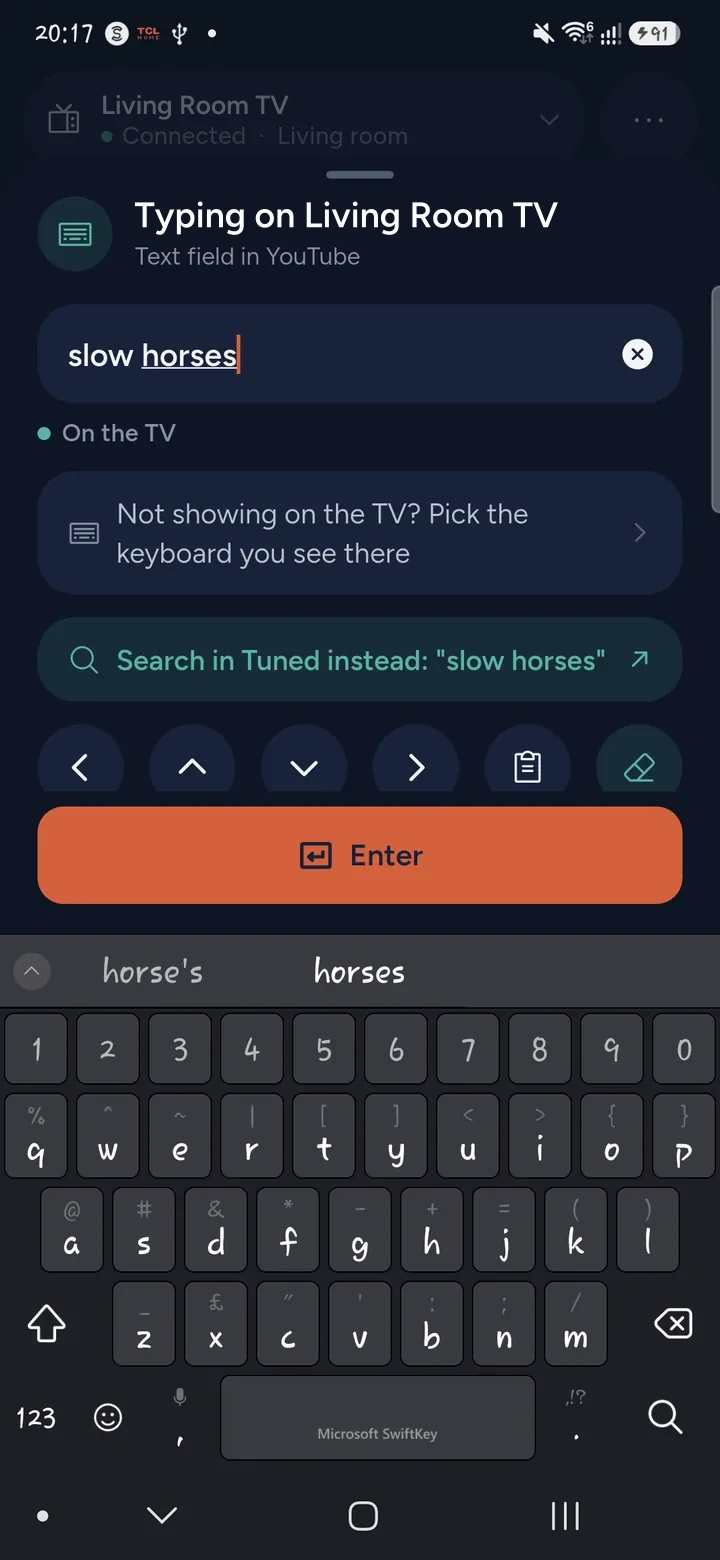
- Tuned. Free, with no Amazon account. You type on your phone and the letters appear in the TV's field.
How to type with Tuned
- Connect your Fire TV in Tuned with the 4-digit code on the TV.
- On the TV, open a search box in an app, so the cursor is in the field.
- Tap the keyboard button on the remote in Tuned.
- Type on your phone. The text appears on the TV.
- Tap Enter to send it.
Tuned checks whether a text field has focus on the Fire TV, so it knows when you can type.
The catch: no deleting
A Fire TV accepts added letters from a phone but has no way to remove one. Tuned can add text to the end of the field. It cannot delete a letter or clear the box on a Fire TV. So type slowly, and check the screen before you press Enter. To fix a mistake, use the Fire TV's own on-screen keyboard or the delete key on the remote.
That is a limit of how Fire TV accepts text, not a setting you can change. Other TVs differ. See typing on a TV from your phone.
Questions about typing on a Fire TV
Can I use my phone as a keyboard on a Fire TV?
Yes. Tuned and Amazon's app both can. Tuned needs no Amazon account.
Why can't I delete letters on my Fire TV with Tuned?
The Fire TV accepts new letters from a phone but not deletions. Use the TV's own keyboard or remote to remove text.
Can I type a Wi‑Fi password this way?
Only once the Fire TV is already on your network, which Tuned needs. For a stick that is offline, see the Wi‑Fi guide.
Does voice search type for me?
It searches by voice for you without typing. It is separate from the text field.
Get Tuned
Free to download for iPhone and Android.