
Type on a Samsung TV from your phone
Typing with a TV remote is slow. A Samsung can take text from a phone, a keyboard or your voice instead. Here are the options, and how to type with Tuned.
Ways to type on a Samsung TV
- Voice. The microphone key on a Samsung Smart Remote can dictate into some search boxes. It needs the remote to be working.
- A Bluetooth or USB keyboard. Many Samsung smart TVs accept one. Bluetooth keyboards are added in the TV's External Device Manager settings. Support depends on the model.
- Tuned. Free, no Samsung account, and the keyboard is your phone's own, with autocorrect and your language.
How to type with Tuned
- Connect your Samsung in Tuned. The first time, choose Allow when the TV asks.
- On the TV, open a search box so the cursor is in the field.
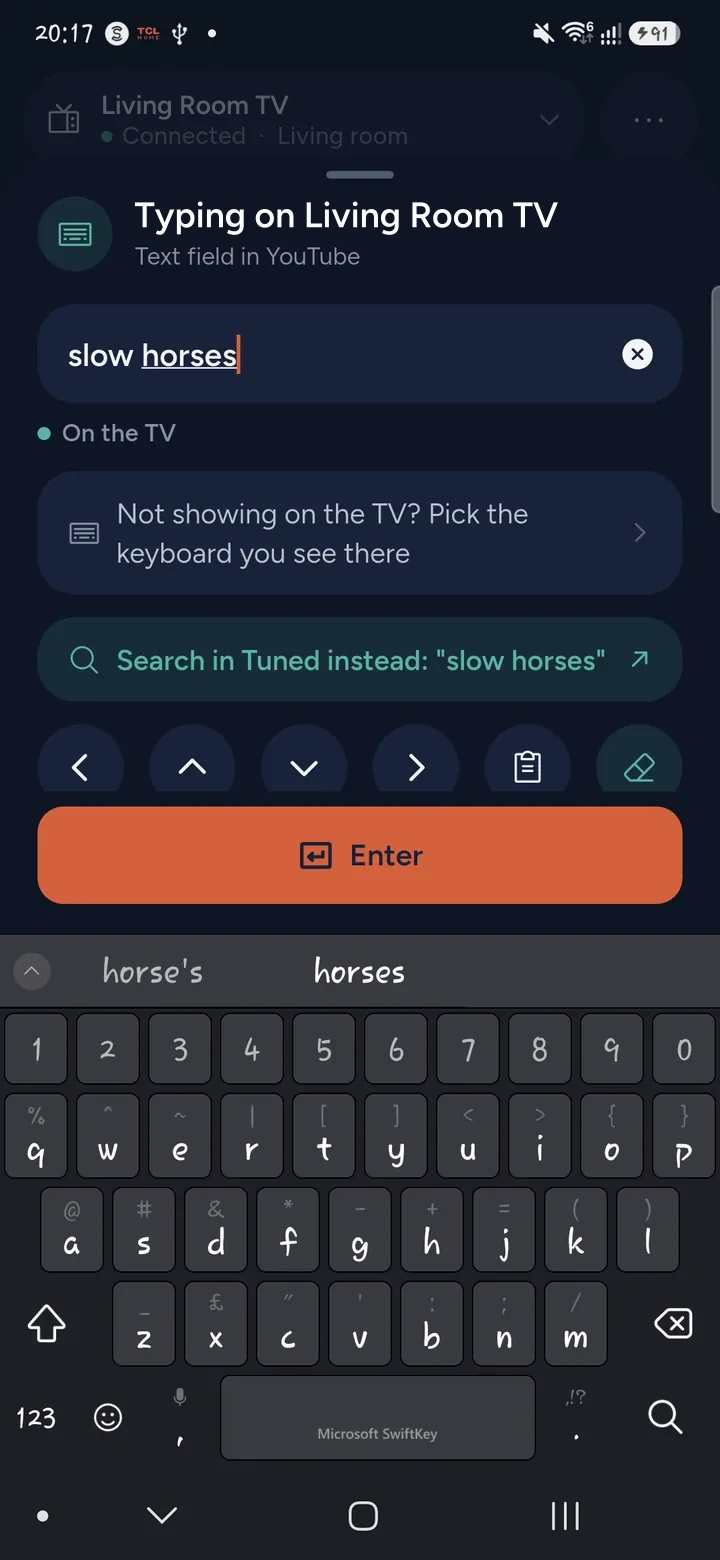
- In Tuned, tap the keyboard button on the remote.
- Type on your phone. The text appears in the field on the TV.
- Tap Enter in Tuned to send the search.
If the TV has not allowed your phone yet, the first key or the first typing asks for Allow on the TV.
What to expect on a Samsung
- Search boxes in apps and on the Samsung home screen take text from Tuned.
- Some apps draw their own keyboard and refuse text from a phone. Tuned tells you, and can walk around that keyboard letter by letter instead, or search from the phone and open the result in the app.
- The Wi‑Fi password and the TV's sign-in boxes use the TV's own keyboard. You can type into those the same way when the cursor is in the box, but only if the TV is already on your network.
More about this in typing on a TV from your phone.
Questions about typing on a Samsung TV
Do I need SmartThings to type on a Samsung TV?
No. SmartThings is one option, but Tuned does not use it and needs no Samsung account.
Why do no letters appear on my Samsung?
The cursor has to be in a text field first. Open the search box on the TV, wait for the keyboard to appear, then type. If the app draws its own keyboard, Tuned asks you which one it is.
Can I paste text from my phone?
Yes. Paste works like any text on your phone, and Tuned puts what is in the box into the TV's field. Check the field before pressing Enter.
Can I type my Wi‑Fi password on the TV with my phone?
Only if the TV is already on a network that your phone can reach, such as a cable. Tuned cannot reach a TV that is offline.
Get Tuned
Free to download for iPhone and Android.