
Use your phone as a remote for a Sony TV
Sony Bravia TVs run Google TV or Android TV, and both can be controlled from a phone over Wi‑Fi. Here is how to check your set, connect it, and what to switch on so the phone can turn the TV on too.
Check what your Sony runs
- The home screen has rows of apps and tiles and says Google TV, or has the Android TV look. Your Sony works with this guide.
- An older Sony with a plain menu and no Google apps does not run Android. Tuned does not list those, so look at the Sony's own app instead.
The model number is on the sticker on the back, or in the TV's settings under About.
Connect your Sony
- Switch on the TV with its button or remote. Sony puts a power button on the TV, and the position varies by model, often at the back near an edge or under the front.
- Put your phone on the same Wi‑Fi as the TV, not a guest network.
- Open Tuned and tap your Sony. On iPhone, allow Tuned to find devices on your local network.
- A 6-character code appears on the TV. Type it into Tuned.
- The remote opens, and the TV is saved for next time.
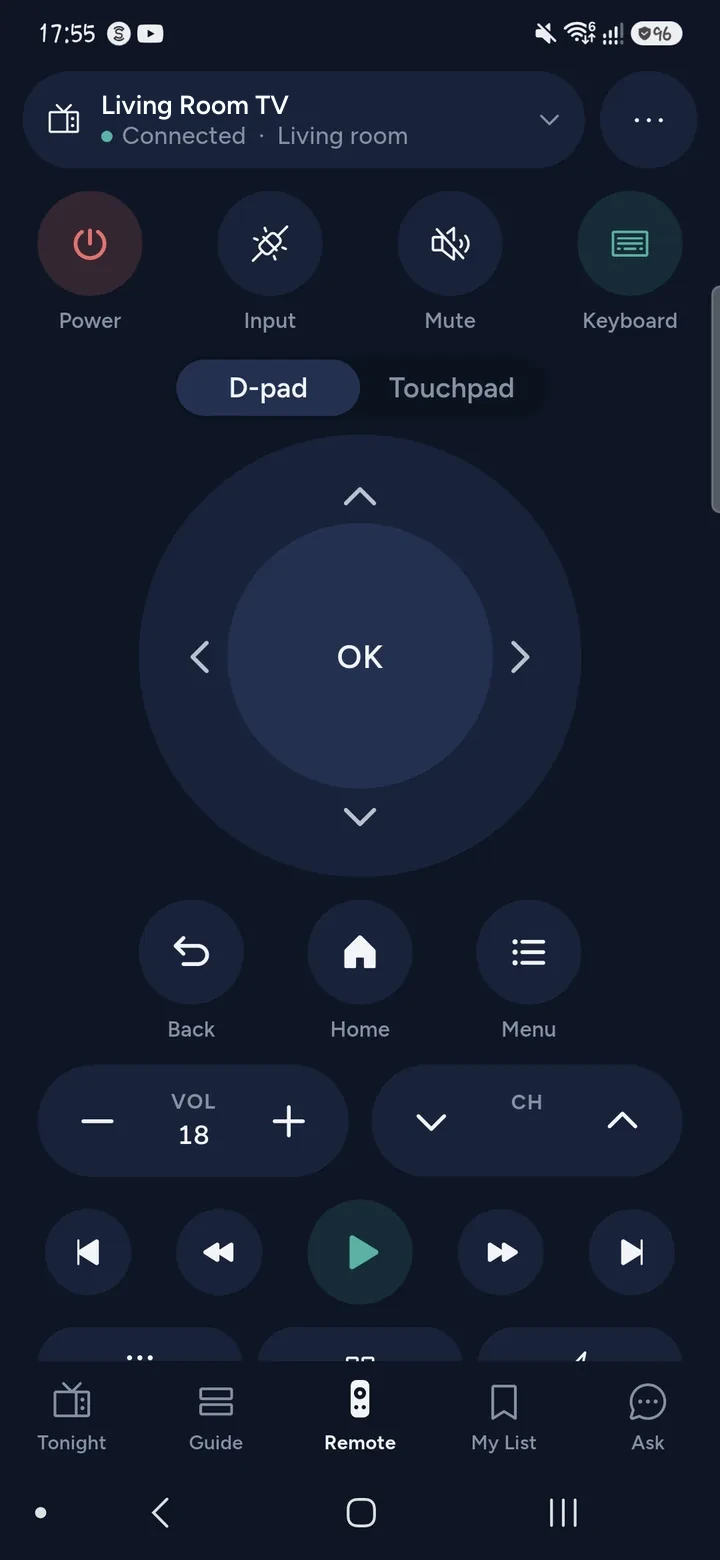
Turn on the phone's power button
To switch the Sony on from your phone, the TV has to listen on the network while in standby. Sony calls its setting Remote start. Turn it on in the TV's settings while you still have the remote or the buttons, then use the power button in Tuned.
The settings differ between Sony's Android TV and Google TV models, so look for Remote start, or a standby option in the Network or Power menus. Tuned can only reach a TV that is still on your network. A Sony that is unplugged cannot be woken.
Other ways to control a Sony
- Sony's HDMI-CEC is BRAVIA Sync. With it on, a console or box can wake the TV.
- The Google TV app on your phone can be a remote too.
- An infrared universal remote set to Sony, or an Android phone with an infrared blaster. Tuned has an infrared mode for those phones.
Questions about controlling a Sony TV with a phone
Do I need a Sony or Google account?
No. Tuned pairs with the TV directly with the code on the screen.
Does it matter if my Sony is Google TV or Android TV?
Not for Tuned. Both pair with the same 6-character code.
Why can't Tuned find my Sony?
Check the TV is on, and on the same Wi‑Fi as the phone, not a guest network. On iPhone, allow Tuned to find devices on your local network.
Can I use the phone to type on the Sony?
Yes. Open a search box, tap the keyboard button in Tuned and type. See typing on a TV from your phone.
Get Tuned
Free to download for iPhone and Android.