
Type on a Hisense TV from your phone
On a Hisense VIDAA TV, typing from a phone depends on which keyboard is on screen. The TV's own keyboard works well. Some apps draw their own, and for those the results vary. Here is what to expect.
How to type with Tuned
- Connect your Hisense in Tuned with the 4-digit code on the TV.
- On the TV, open a search box so the keyboard comes up.
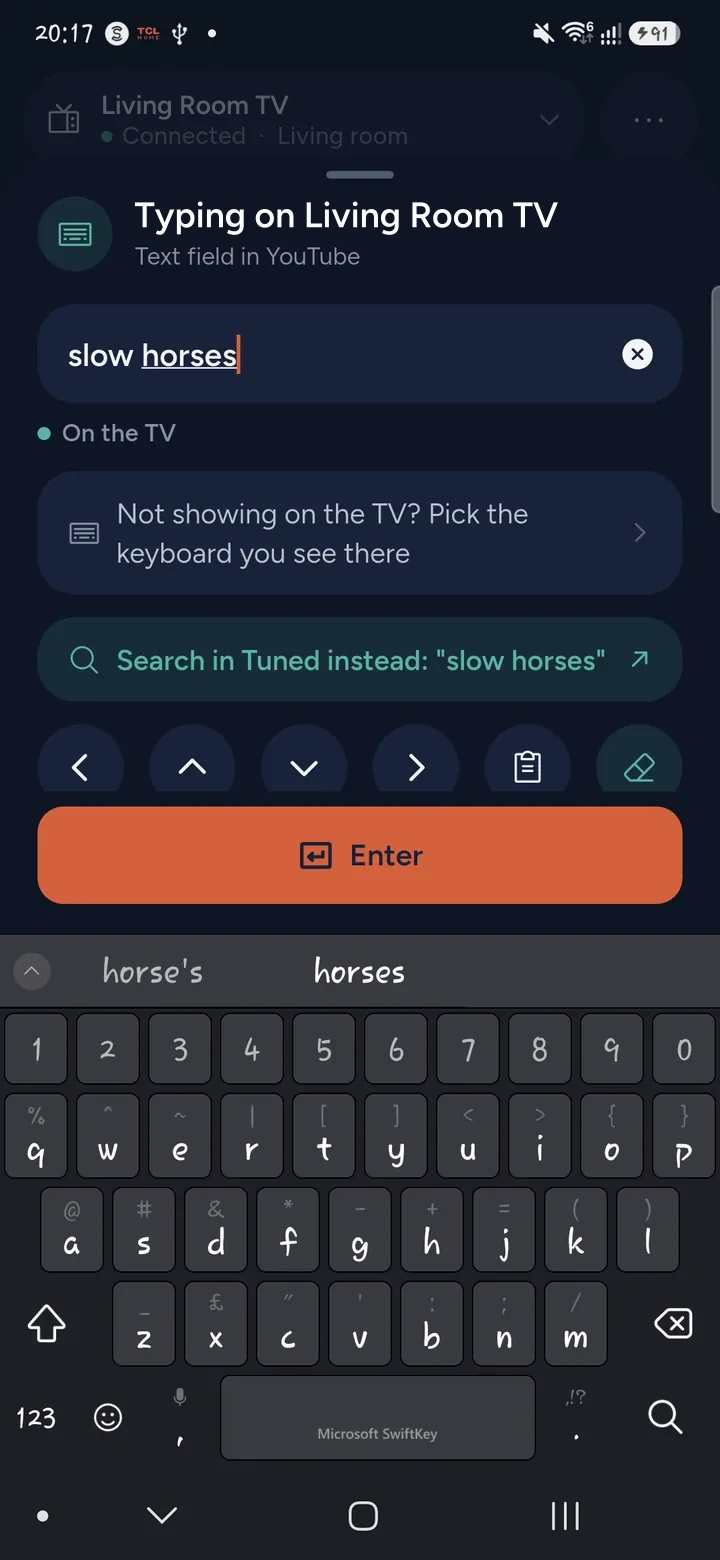
- In Tuned, tap the keyboard button on the remote.
- Type on your phone. The letters go into the TV's keyboard.
- Tap Enter in Tuned to send the search.
What works on VIDAA
- The TV's own keyboard. This is the best case. It reports its box back to the phone, so Tuned knows what is there and can delete and correct.
- Netflix and YouTube. Both draw their own search keyboard. Tuned has been checked with them on a VIDAA set, and typing works.
- Other apps with their own keyboard. They may not take letters from a phone, so the letters can go nowhere. If that happens, search from the phone instead, or use the TV's on-screen keyboard.
Other ways to type on a Hisense
- The voice key on a voice remote, for searches.
- The TV's on-screen keyboard with the arrow keys, which is slow.
See also typing on a TV from your phone for the other brands.
Questions about typing on a Hisense TV
Why do no letters appear when I type?
The keyboard has to be open on the TV first. Open the search box, wait for the keyboard, then type. If the app draws its own keyboard, it may not accept typing from a phone.
Can I correct a mistake from my phone?
In the TV's own keyboard, yes. Tuned changes the text to match what is on your phone. In an app's own keyboard it depends on the app.
Does it work on a Hisense that runs Google TV?
Yes, but through the Google TV connection. See the Google TV guide. Roku sets use the Roku guide.
Do I need to install anything on the TV?
No. Typing goes through the same connection as the remote.
Get Tuned
Free to download for iPhone and Android.